API Keys
Last updated: 02/22/2026
Pro and Team users can create API keys to access the TechWrit AI REST API. Open API Keys from the user menu to manage your keys.
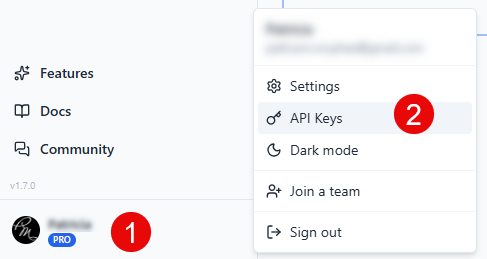
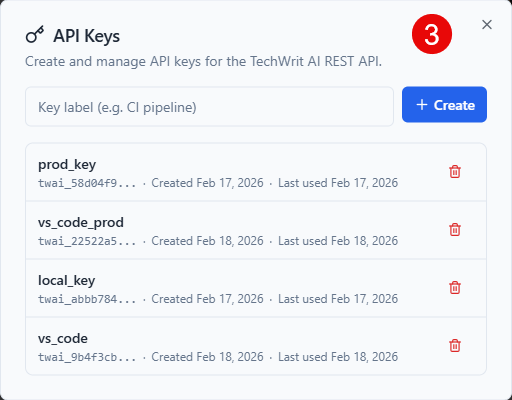
- Create a key — Enter an optional label (e.g., "CI pipeline") and select Create. The raw key is shown once — copy it immediately.
- Key list — Shows all your keys with their prefix (
twai_...), label, creation date, and last used date. - Revoke a key — Select the trash icon to permanently delete a key. Any integrations using that key stop working.
- Limit — Up to 5 API keys per user.
API requests share the same monthly quota as web UI requests. See the API Reference for endpoint details and examples.